NO.89 HOTSPOT
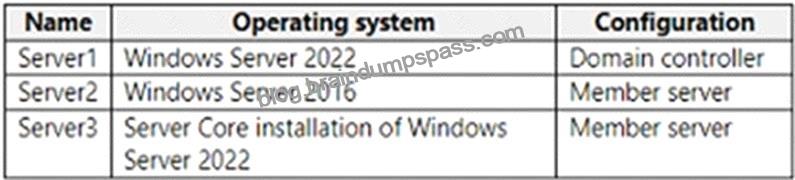
Your network contains an on-premises Active Directory domain. The domain contains the servers shown in the following table.
You purchase a Microsoft 365 E5 subscription.
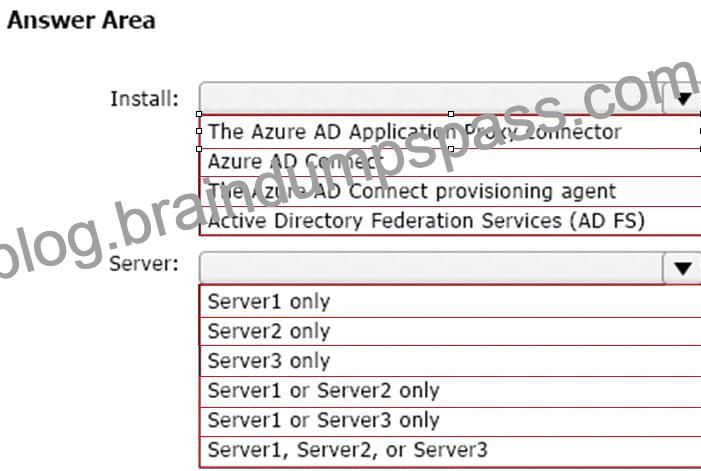
You need to implement Azure AD Connect cloud sync.
What should you install first and on which server? To answer, select the appropriate options in the answer area.
NOTE: Each correct selection is worth one point.
Explanation
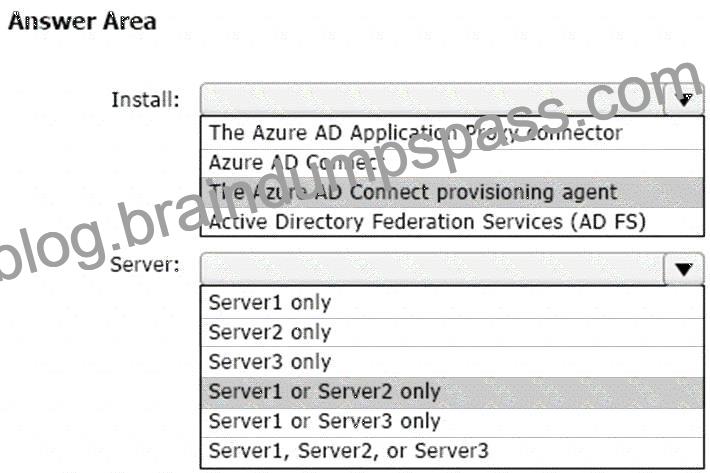
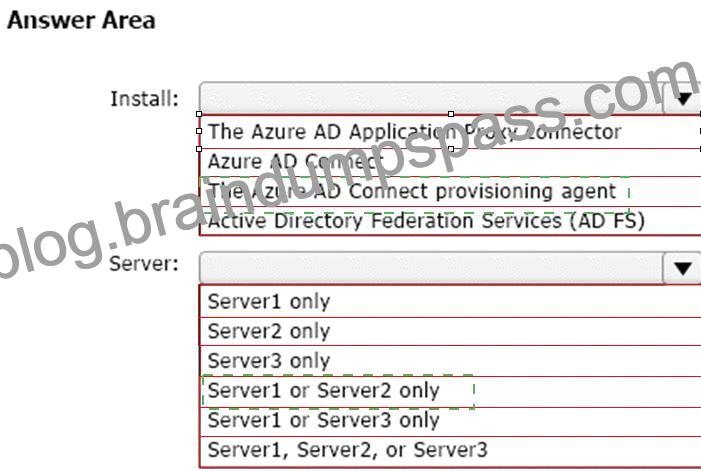
Box 1: The Azure AD Connect provisioning agent
Install the Azure AD Connect provisioning agent
How is Azure AD Connect cloud sync different from Azure AD Connect sync?
With Azure AD Connect cloud sync, provisioning from AD to Azure AD is orchestrated in Microsoft Online Services. An organization only needs to deploy, in their on-premises or IaaS-hosted environment, a light-weight agent that acts as a bridge between Azure AD and AD. The provisioning configuration is stored in Azure AD and managed as part of the service.
Box 2: Server1 or Server2 only.
Cloud provisioning agent requirements include:
* An on-premises server for the provisioning agent with Windows 2016 or later.
This server should be a tier 0 server based on the Active Directory administrative tier model. Installing the agent on a domain controller is supported.
Note: Windows Server Core is a minimal installation option for the Windows Server operating system (OS) that has no GUI and only includes the components required to perform server roles and run applications.
Reference:
https://docs.microsoft.com/en-us/azure/active-directory/cloud-sync/how-to-install
https://docs.microsoft.com/en-us/azure/active-directory/cloud-sync/how-to-prerequisites







Recent Comments